

Recruiting Automation Tools That Cut Time to Hire Fast
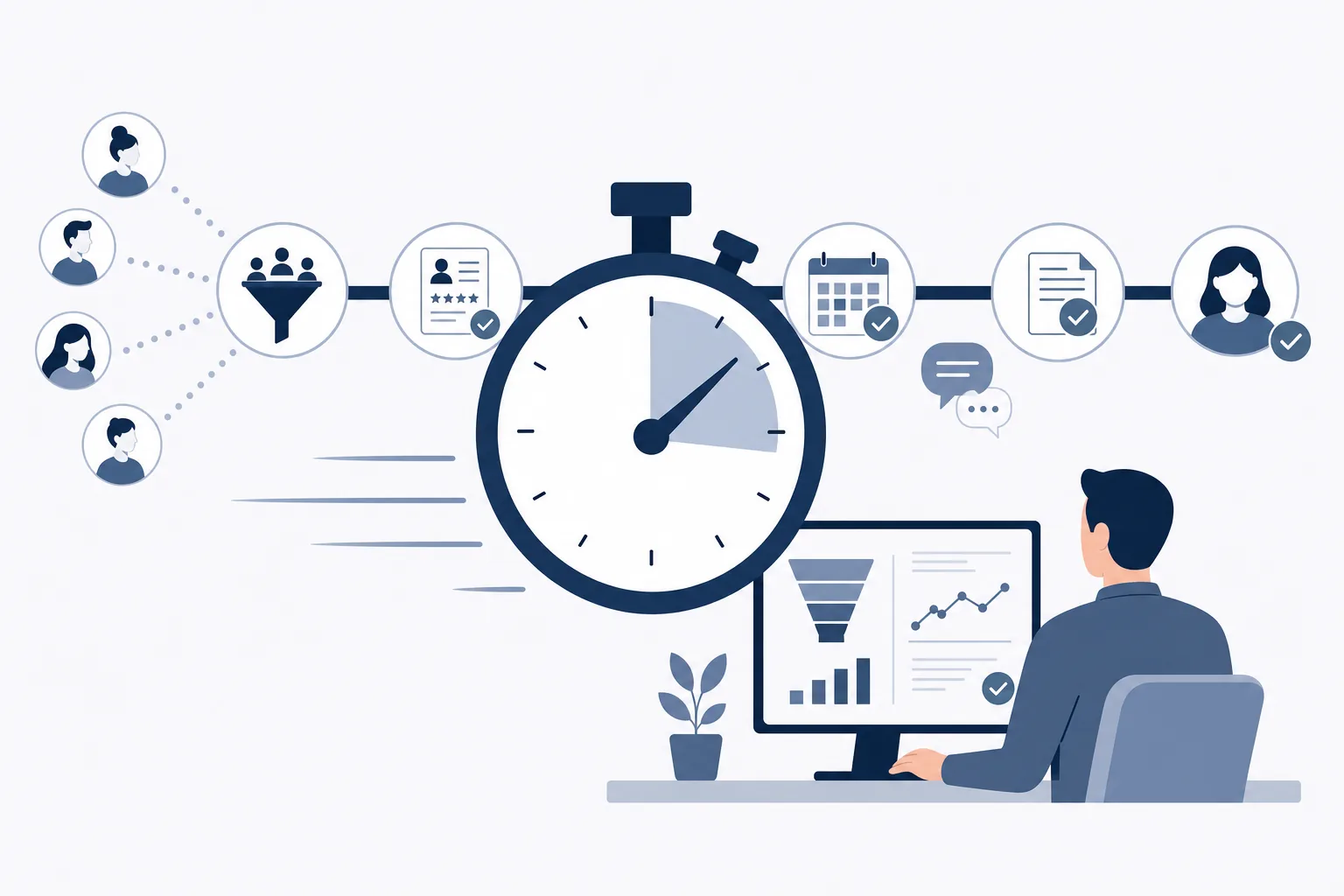
Recruiting automation tools cut time to hire by handling sourcing, screening, scheduling, and outreach without manual hand-offs between stages. The biggest gains come from connecting those tools into one continuous workflow rather than running each in isolation. Most teams pick a point solution for their loudest problem, get a partial win, and leave the rest of the time savings sitting unused. The right stack depends on where your bottleneck actually sits: top-of-funnel volume, interview coordination, or offer logistics. This guide walks you through each stage in order, with specific tools and configuration steps at each one, so you can automate the stage that costs you the most time first. Where tools serve as alternatives rather than additions to a stack, the guide explains which situation each fits so you can choose based on your actual constraints.
What Is Recruiting Automation and Why Does It Matter in 2026?
Recruiting automation means using software to execute repeatable hiring tasks: sourcing candidates, sending outreach, scoring applications, scheduling interviews, without a human doing each action manually. The goal is to stop human judgment from being wasted on work a system can do faster and more consistently.
The data on impact is hard to ignore. According to Bullhorn’s 2026 industry trends report, 55% of recruiting professionals reported that their KPIs grew by more than 25% after adopting AI screening. Separately, Paylocity’s 2026 recruitment report found that 43% of recruiters save at least 6 hours every week through automation, effectively reclaiming a full workday. That is not a marginal efficiency gain. That is a structural shift in how much a small team can handle.
The scale problem is what drives adoption. According to TestGorilla’s 2026 recruiting report, 72% of US recruiters say AI has accelerated their candidate sourcing over the past year. The number makes sense when you see the underlying ratio: 69% of talent professionals in the US and UK must evaluate at least 26 candidate profiles just to identify a single viable contact. Manual sourcing at that ratio is not a process. It is a treadmill.
Despite all this, most organizations are nowhere near a connected end-to-end automated workflow. A Phenom benchmark report found that only 0.9% of organizations have fully automated the entire inline qualification journey from screening to scheduling. That gap is not a technology problem. It is a sequencing problem. Teams add tools one at a time without mapping how each stage hands off to the next, so the bottleneck just moves rather than disappears.
This guide treats recruiting automation as a workflow, not a collection of features. Each step below targets a specific stage of the funnel. Wire them together, and the time savings stack.
Step 1: Map Your Hiring Funnel Before Choosing Any Recruiting Automation Tools
Before you buy anything, audit where time actually goes in your current process. Most teams skip this and pick tools based on what is well-marketed, ending up with an expensive point solution that solves a secondary problem while the real bottleneck stays untouched.
Here is how to run the audit:
-
List every stage in your current hiring funnel. A typical funnel runs: sourcing, outreach, application review, screening call, skills assessment, panel interviews, offer. Write yours out explicitly, even if it feels obvious.
-
Measure time spent at each stage. Track calendar days from stage entry to stage exit for your last 5 to 10 hires. You do not need a perfect data set. You need enough to see where candidates sit idle.
-
Identify your top two bottlenecks. Look for stages where the average wait time is more than 3 business days, or where a single person’s availability controls the entire flow. These are your automation targets.
-
Separate volume problems from coordination problems. Volume problems, too many applications to review manually, call for screening and sourcing tools. Coordination problems, interview scheduling that takes 4 emails to confirm, call for scheduling automation. The fix for one does not fix the other.
-
Check what your current tools already do. Many ATS platforms include features that teams never activate. Before adding a new tool, confirm you are not already paying for the capability you need.
-
Rank your stages by impact on time to hire. Automate the stage with the highest time cost first. A 2-day improvement at a stage that happens once per hire beats a 30-minute improvement at a stage that happens 50 times but has no downstream effect.
One pattern worth watching: teams often discover their bottleneck is not sourcing volume but interview coordination. According to Phenom’s 2026 benchmark report, 94% of companies do not offer immediate, inline interview scheduling during the application process. That single gap can add days to every hire. If your audit points there, jump to Step 4 first, then come back and build out the earlier stages.
Match the tool to the actual constraint, not the most visible one.
Step 2: Automate Top-of-Funnel Sourcing and Outreach
Top-of-funnel automation covers two jobs: finding candidates who match your criteria, and contacting them across multiple channels without a recruiter manually composing each message. Done well, this stage fills your pipeline faster and frees your team to focus on the candidates who respond.
The core mechanic is a multichannel outreach sequence. Instead of sending one LinkedIn message and waiting, you set up a timed sequence: LinkedIn connection request, follow-up message, email, and a second email if there is no reply. You write the messages once, set the timing, and the tool runs the sequence.
Recruiterflow is built for exactly this stage. It is a browser-based, end-to-end solution for search firms that includes multichannel outreach sequences, automated job change alerts, and AI-driven candidate matching. Its AIRA AI agents handle call note-taking, natural language search, and automatic field updates so your candidate records stay current without manual data entry. The browser extension lets you bulk-source directly from LinkedIn, which cuts the time between identifying a candidate and adding them to an active sequence. Per softwareadvice.com, some users report difficulty correcting stage moves in the reporting flow, so build in a weekly review of your pipeline data to catch errors early.
Two practical rules for outreach sequences:
- Personalize the first line. Fully generic messages get ignored. Reference the candidate’s current role, a recent project, or the specific skill you are sourcing for. The rest of the sequence can be templated.
- Cap your sequence at 4 to 5 touchpoints. More than that damages your sender reputation and signals a weak pipeline.
Sourcing automation does not replace judgment about who belongs in the pipeline. It removes the manual work of finding and contacting those people at scale. The output is a set of candidates who have responded and expressed interest, and that is where human review starts.
Step 3: Screen Candidates at Scale Without Adding Headcount
Screening is where most pipelines stall. You have a hundred applications and two people to review them. The math does not work without automation.
AI screening tools solve the volume problem by scoring and filtering applications against your defined criteria before a human reads a single resume. The system evaluates each applicant against your must-haves, flags those who clear the bar, and deprioritizes those who do not. According to Bullhorn’s 2026 industry trends report, 55% of recruiting professionals saw their KPIs grow by more than 25% after adopting AI screening. That result comes from the same hour-per-application math: when a system handles the first pass, your team only reads the candidates worth reading.
The scale pressure is real. A Paylocity 2026 report found that 91% of HR leaders now consider AI tools critical for handling the volume of modern job applications. If your open role pulls 200 applications in the first week, manual review is not a process. It is a backlog.
Done well, automated screening connects directly to scheduling. A candidate who clears your screening criteria gets an automated invitation to book a screening call, with no recruiter action required between the two steps. That hand-off is where most teams lose days. Automate it, and a candidate can go from application to scheduled call in under an hour.
One risk to manage: algorithmic bias. AI screening tools learn from historical data, and if your past hires skew in any direction by school, geography, or background, the model can replicate that pattern at scale. To reduce this risk:
- Audit your screening criteria before you configure the tool. Every must-have should map to a specific job outcome, not a proxy for fit.
- Review rejection patterns monthly. If the tool is filtering out a demographic at a higher rate than the overall applicant pool, that is a signal to investigate the criteria, not just the output.
- Keep a human in the loop for borderline cases. Set a confidence threshold. Candidates who score near the cutoff get human review before rejection.
Screening automation is not a set-and-forget system. Check the outputs regularly and adjust the criteria as you learn what the role actually requires.
Step 4: Eliminate Scheduling Bottlenecks With Interview Automation
Interview scheduling is the most underestimated time sink in hiring. A single panel interview can take 4 to 6 emails to confirm. Multiply that across 10 candidates and 3 interviewers, and you have burned a full week of coordination before a single conversation happens.
The data backs this up. According to Phenom’s 2026 state of hiring automation report, 94% of companies do not offer immediate, inline interview scheduling during the application process. That means most candidates wait, sometimes days, for a calendar link that could have been sent automatically the moment they cleared screening.
GoodTime targets this exact problem. It automates complex, high-volume interview scheduling by managing loops, panels, and interviewer load balancing using AI. Instead of a recruiter manually checking three interviewers’ calendars and proposing times, GoodTime handles the matching, sends the invite, and distributes load across your panel so no single interviewer becomes a bottleneck. It runs in the cloud and integrates with ATS and calendar systems. Per bestaihrsource.com and cxeverywhere.com, users report occasional app crashes and some inconsistencies in calendar availability display, so confirm scheduling accuracy before each interview day. It also requires meaningful upfront implementation work to connect with your existing systems.
GoodTime is built for enterprise-scale hiring with multi-interviewer panel loops. If your process involves a single interviewer per stage, a simpler scheduling tool may be sufficient. But if you run panels, or if your interviewers span multiple time zones, the load balancing alone is worth the setup cost.
Three things to configure before you go live:
- Set interviewer availability windows in advance, not just open calendar slots. This prevents GoodTime from scheduling interviews during times your team has blocked for deep work.
- Define panel composition rules by role. Specify which roles require which interviewers so the system does not default to whoever is available.
- Build in a buffer between back-to-back interviews. Thirty minutes is enough. Without it, interviewers run late and candidates wait.
Scheduling automation does not just save recruiter time. It shortens the candidate’s experience of your process, which matters when your best candidates are also talking to three other companies.
Step 5: Fill Specialized or Hard-to-Source Roles Using a Recruiter Marketplace
Automation handles volume well. It handles niche roles less well. When you are hiring a principal engineer with a specific infrastructure background, or a CFO with experience in a particular industry, the candidate pool is small and sourcing requires judgment that a general outreach sequence cannot replicate.
This is where a recruiter marketplace fits. Instead of running the search yourself, you connect with independent recruiters who specialize in exactly that function or industry. They bring existing networks and sourcing instincts that a tool stack cannot replicate for low-volume, high-stakes searches.
Paraform operates on this model. It is a cloud-based marketplace that connects companies with expert independent recruiters and custom AI agents to source talent on a success-based model. Recruiters on the platform compete to submit candidates, which creates speed incentives. Paraform’s pricing is not publicly listed; per joinnextdev.com, the contingency model can involve fees up to 30% of a hire’s first-year salary, so factor that into your cost-per-hire math before committing to a search. Per paraform.com, the platform also lacks proprietary technical screening infrastructure for specialized engineering roles, so plan to run your own technical assessment once candidates are submitted.
The right time to use a marketplace alongside your automation stack:
- The role is senior or niche. Director-level and above, or roles requiring a rare combination of skills, benefit from a recruiter with a warm network in that space.
- Your sourcing sequence has run for 3 to 4 weeks with low response rates. That is a signal the candidate pool for your criteria is thin, and a specialist will find people your automated search missed.
- Speed matters more than cost. A success-based model means you only pay on a hire. If filling the role fast has a clear business value, the fee is often justified.
Paraform and your automation stack are not either/or. Use automation for your repeatable, higher-volume roles. Use the marketplace for the searches where the cost of a slow or wrong hire exceeds the recruiter fee.
When a Fully Managed AI Recruiting Department Makes More Sense
Building a tool stack takes time. You need to select each tool, integrate it with your ATS and calendar systems, configure the workflows, and manage the hand-offs between stages. For teams with a dedicated recruiting ops function, that investment pays off. For everyone else, it can become a project that never quite finishes.
The alternative is a system that runs the entire workflow for you, without requiring you to wire the pieces together yourself.
Huntrim is a full recruiting department run by AI agents. A manager or HR person briefs it on an open role, and it handles sourcing across job boards and networks, running outreach campaigns, screening applicants, verifying credentials, scheduling interviews, collecting feedback, and extending offers. Humans stay in control of key decisions: approving shortlists, choosing finalists, and signing off on offers. The operational work runs without requiring a person to move candidates from one stage to the next.
This model fits a specific situation. If your team is hiring across multiple roles at once, does not have a dedicated recruiter, or has already tried point solutions and still sees the bottleneck move from stage to stage, a fully managed approach removes the orchestration problem entirely. You are not managing tools. You are reviewing outputs and making decisions.
That distinction matters because the sequencing problem described in Step 1 does not go away just by adding better tools. Someone still has to own the workflow, monitor hand-offs, and catch failures. With a managed AI recruiting department, that ownership sits with the system rather than with a person who also has twelve other responsibilities.
Huntrim pricing is not publicly available. Start by mapping your current cost per hire and time to hire, then evaluate whether a managed approach changes those numbers. If you are already running a stack of 3 or more tools and still missing your hiring targets, that is a practical signal to look at this model.
How to Measure Whether Your Recruiting Automation Is Actually Working
Track these metrics by funnel stage and review them every 30 days:
- Time to hire: Days from role open to offer accepted. This is your headline number. If it is not falling after 60 days of automation, the bottleneck has not been addressed.
- Time per stage: How long candidates sit at each funnel step. A drop in overall time to hire with one stage still running long tells you exactly where to focus next.
- Sourcing-to-response rate: The percentage of outreach contacts who reply. A low rate means your sequence, targeting, or messaging needs work.
- Screening pass rate: The share of applicants who clear automated screening. Too high means your criteria are too loose. Too low may signal a bias problem worth auditing.
- Interview-to-offer ratio: How many interviews it takes to produce one offer. Automation should tighten this by improving the quality of candidates who reach the interview stage.
- Recruiter hours per hire: Per Paylocity’s 2026 data, 43% of recruiters already save at least 6 hours weekly through automation. Use that as a baseline and measure your own reduction.
According to Bullhorn’s 2026 survey, 56% of recruitment firms achieved revenue growth in 2025. Firms that tied automation to measurable pipeline metrics were best positioned to sustain that growth. Track the metrics above and you will know which stage to fix next.
Prices and plan limits verified as of October 2026.
FAQs
What is the difference between an ATS and a recruiting CRM?
An ATS (applicant tracking system) manages candidates who have already applied. It tracks applications, moves candidates through stages, and stores hiring records. A recruiting CRM manages candidates before they apply: it holds sourced contacts, tracks outreach, and nurtures passive candidates over time. Most modern platforms blend both functions, but the core distinction is inbound management versus outbound relationship building. If you are doing proactive sourcing, you need CRM capabilities, not just an ATS.
How does automation help recruiters focus on the candidates who matter?
Automation handles the high-volume, low-yield work at scale: sending sequences, scoring applications, scheduling calls, so your team spends its time on the candidates worth a real conversation.
Can small businesses benefit from recruiting automation or is it only for enterprise teams?
Small businesses benefit directly. The tools that save the most time, outreach sequencing, automated screening, and self-serve scheduling, do not require a large team to operate. A founder or office manager running 2 to 3 searches a year can recover hours per hire with a basic stack. Start with the stage that costs you the most calendar time and automate that one first.
How do you reduce algorithmic bias when using AI for candidate screening?
Start by auditing your screening criteria before you configure any tool. Every must-have should connect to a specific job outcome, not a proxy like school name or location. Once the tool is live, review rejection patterns monthly. If a demographic group is being filtered out at a rate that does not match the applicant pool, investigate the criteria driving that result. Keep a human in the loop for borderline scores, and treat the model’s output as a first pass, not a final decision.
What are the most common recruiting automation examples used by high-growth companies?
The most common examples are: automated multichannel outreach sequences that contact sourced candidates across LinkedIn and email without manual follow-up; AI screening that scores and filters applications before a recruiter reads them; self-serve interview scheduling that sends calendar links automatically once a candidate clears screening; and automated offer workflows that generate and send offer letters after approval. High-growth teams typically start with one of these and add the others as their hiring volume increases.
Conclusion
Recruiting automation cuts time to hire when you treat it as a workflow, not a set of independent tools. The gains at each stage, sourcing, screening, scheduling, compound only when the hand-offs between them are also automated. Most teams are nowhere near that yet, which means the opportunity to pull ahead is real.
Start by running the funnel audit in Step 1. Find your single biggest bottleneck, the stage where candidates sit idle longest, and automate that stage first. Once it runs cleanly, move to the next. If you want the entire workflow handled without building the stack yourself, evaluate whether a managed AI recruiting model fits your situation. Either way, track time per stage, not just overall time to hire. That is where you will see what is actually working.