

AI Sourcing Tools That Find Qualified Candidates Fast
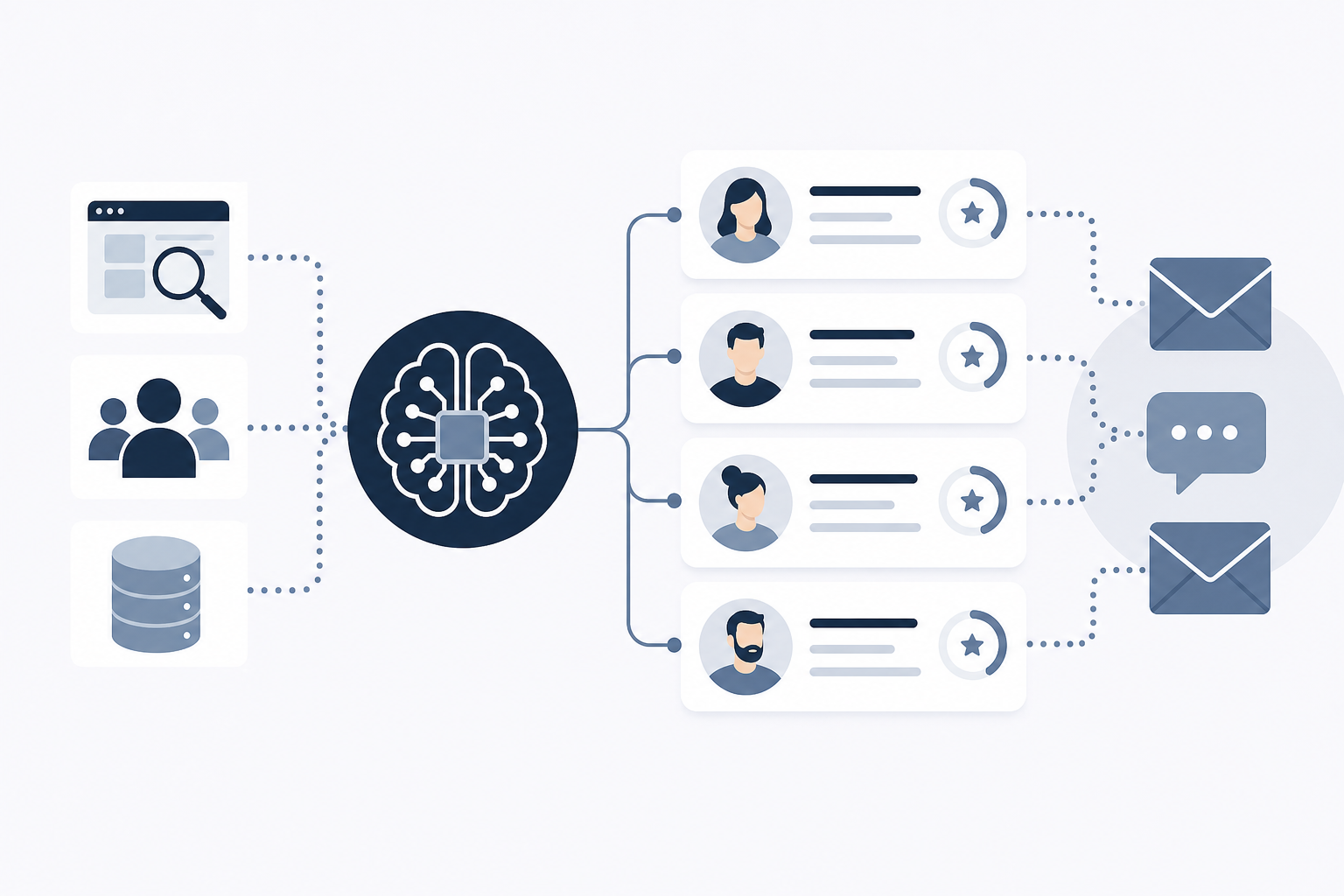
AI sourcing tools use machine learning to scan job boards, professional networks, and talent databases to surface qualified candidates faster than manual search. The right choice depends on your team size and workflow: point tools automate one step like outreach, talent intelligence platforms handle skills-based matching at scale, and AI recruiting agents manage the entire sourcing-to-offer pipeline. This guide covers Eightfold and Fetcher in depth and walks through how to evaluate any tool in this category before you buy.
What Is AI Sourcing and Why Does It Matter Right Now?
Manual sourcing is a volume problem. The number of applications required per hire reached 291 in early 2026, compared to approximately 100 in 2021, based on analysis of 109 million applications. You cannot work your way out of that by trying harder.
AI sourcing is the use of machine learning models to automate the discovery, ranking, and initial engagement of candidates. Instead of a recruiter spending two hours on LinkedIn, the system scans multiple sources, scores profiles against your role criteria, and surfaces a shortlist. The recruiter reviews and acts. According to a TestGorilla 2026 report, 72% of US recruiters say AI has improved the speed of candidate discovery over the past year.
Every week a role stays open costs the business in lost output and manager time. SmartRecruiters’ 2026 benchmarks show organizations using AI in recruitment achieve a 26% faster hiring process. That speed difference compounds across every open role on your board.
The tools that deliver this speed vary widely in scope. Some automate a single step. Others run the full pipeline. Choosing the wrong category wastes budget even when the underlying technology works.
Enterprise Talent Intelligence Platforms vs. Point AI Sourcing Tools
These two categories solve different problems. Confusing them is the most common sourcing procurement mistake.
Enterprise talent intelligence platforms sit on top of large proprietary data graphs. They infer skills from work history, map internal mobility, and match candidates to roles based on capability signals rather than keyword overlap. Setup requires cross-functional buy-in and ongoing data maintenance. These platforms are built for large organizations running high-volume hiring across multiple functions.
Point tools do one job well. A sourcing tool finds passive candidates. An outreach tool writes and sends sequences. A screening tool scores inbound applications. You can stack them, but each requires its own integration, login, and budget line.
Here is how the two main AI sourcing tools in this category compare:
| Tool | Category | Core AI capability | Delivery model | Pricing tier |
|---|---|---|---|---|
| Eightfold | Enterprise talent intelligence | Deep-learning talent graph for skills-based matching and internal mobility | Cloud platform | Pricing not publicly listed |
| Fetcher | Point sourcing tool | Hybrid AI discovery plus human specialist curation for passive candidate search and outreach | Browser extension | Paid plan |
Eightfold uses deep-learning models and a talent intelligence graph to power talent acquisition, internal mobility, and skills-based matching across global workforces. It is best suited for large enterprises with high-volume hiring needs. Matching quality depends on the completeness of your internal data and the talent graph, and implementation requires significant cross-functional commitment.
Fetcher automates passive candidate searches and outreach sequences using a hybrid model of AI discovery and human specialist curation. It runs as a browser extension, which keeps the setup light. The trade-off is that the human-in-the-loop review introduces a delivery lag of 32 to 48 hours per candidate batch, and outreach is limited to email and InMail with no phone number enrichment, per recruithacker.com.
SHRM data shows that 43% of organizations have adopted AI for HR functions as of 2026. Most of those are not large enterprises running Eightfold. They are mid-size teams looking for a point tool that fits inside an existing workflow.
How Do AI Sourcing Tools for Recruiting Handle Outreach Automation?
Most AI sourcing tools do not just find candidates. They also send the first message. Understanding how that automation works keeps you from ending up with a pipeline full of cold leads who never replied. The section below covers how the standard model works and where specific failure points appear.
The standard model works like this: the tool identifies a passive candidate, generates a personalized outreach message using the candidate’s profile data, and sends it via email or InMail on a set schedule. Follow-up messages trigger automatically if there is no response after a defined interval. The recruiter steps in once a candidate replies. Two common failure points: message personalization that pulls the wrong field from a sparse profile, producing an opener that names the wrong company or role title, and outreach sequences that do not respect opt-out signals automatically, which creates compliance risk.
Fetcher follows this pattern, combining AI-driven discovery with human specialist review before delivery. That curation step improves match quality, but it adds time. Testing of Fetcher’s sourcing service showed that candidate batches typically take 32 hours to be delivered. That lag is specific to Fetcher’s hybrid model and does not apply to fully automated tools.
The free tier question comes up often here. Some AI sourcing tools for recruiting offer limited free access, typically capped at a small number of candidate searches or outreach sends per month. Those free tiers are useful for testing fit, not for running a live search at volume.
Set realistic expectations before you launch a sequence. Automated outreach response rates depend on message quality, role attractiveness, and how saturated the candidate’s inbox already is. AI writes the first draft. You still need to review it before it goes out.
Does AI Sourcing Improve Skills-Based Matching?
AI sourcing moves beyond keyword matching by inferring skills from work history, project signals, and role progression rather than scanning for exact terms. That matters because a candidate who built a payments integration in Python may never have written “Python developer” on their profile.
The practical gain is real, but so is the gap between claimed and verified skills. TestGorilla’s 2026 research found that 90% of US recruiters reported candidates’ actual AI skills were weaker than their profiles claimed at least some of the time. AI sourcing surfaces more profiles faster, but it cannot verify what those profiles assert.
Free AI tools for sourcing candidates tend to fall short here first. Free tiers typically run keyword-adjacent matching without access to the deeper capability graphs that enterprise platforms use. You get more names, not necessarily better ones.
The practical fix is a two-stage screen. Use AI matching to build the initial pipeline, then add a short skills check before the first interview. That combination catches credential inflation early and keeps your pipeline honest. Eightfold’s talent intelligence graph is built for this kind of inference at scale, but it requires complete internal data to work well. For smaller teams without that data foundation, pairing a point sourcing tool with a separate skills assessment layer gets you most of the benefit at a fraction of the setup cost.
Skills-based matching is only as good as the signals the tool can read. The more structured your job brief, the better the match output.
How to Evaluate and Buy an AI Sourcing Tool: A Step-by-Step Checklist
Buying the wrong tool costs you in two ways: the direct spend, and the six weeks you lose before admitting it is not working. A structured evaluation process cuts both.
Before you talk to any vendor, get clear on what you actually need. Here is the process, in order:
-
Define your integration requirements before engaging sales. List every system the tool must connect to: your ATS, your CRM, your calendar, your communication stack. Ask specifically whether the integration is native or requires a third-party connector like Zapier, and whether that connector costs extra.
-
Request a demo built around your actual scenario, not a generic walkthrough. Give the vendor a real open role and ask them to show you how the tool handles it end to end. Generic demos show the happy path. A scenario-specific demo surfaces edge cases: what happens when the talent pool is thin, how the tool handles duplicate candidates, and how long a live search actually takes to return results.
-
Get contract terms in writing before the pilot. Ask for written confirmation of contract minimums, total duration, and the full cost of any add-on features. Sourcing tools frequently price the base platform at one level and charge separately for outreach credits, ATS integrations, or additional user seats. The number that matters is the all-in annual cost, not the headline price. A StaffingHub 2026 report found that 76% of agencies expect job board costs to rise in the coming year, so locking in terms before signing protects your budget.
-
Run a 30-day pilot on a live role before committing long-term. Use 10 to 20 people in the pilot group and measure outcomes against your current baseline: time to first qualified candidate, response rate on outreach, and shortlist-to-interview conversion. Thirty days is enough to see whether the tool fits your workflow or fights it.
A few things to check during the pilot that vendors rarely volunteer: how the tool handles candidate re-engagement if a search returns the same profiles as a previous run, whether outreach sequences respect opt-out signals automatically, and what the support response time looks like when something breaks mid-search.
Tools like Juicebox and Metaview come up often in this evaluation process as point-tool options worth including in a shortlist. Evaluate them against the same checklist: integration fit, contract clarity, and a live pilot before any long-term commitment.
An AI sourcing agent that manages the full pipeline is a different procurement decision. The evaluation still follows these steps, but the scope of the pilot needs to cover more than sourcing. It needs to cover screening, scheduling, and handoff quality too.
When an AI Sourcing Agent Handles the Entire Recruiting Pipeline
A point tool automates one step. An AI sourcing agent automates the sequence: find candidates, run outreach, screen responses, verify credentials, schedule interviews, collect feedback, and move to offer. The difference is not just feature depth. It is a different operating model.
This fits a specific situation: a team that needs to hire but has no dedicated recruiter. A founder making their first five hires, a department head backfilling two roles at once, an HR generalist managing recruiting alongside four other functions. In each case, the bottleneck is not a single step. It is the entire operational load of running a search.
SHRM data shows 43% of organizations have adopted AI for HR functions as of 2026. Many of those are not replacing a full recruiting team. They are filling a gap where no team existed.
Huntrim is an AI recruiting agent built for exactly this pattern. A manager or HR person briefs it on an open role, and it handles sourcing across job boards and networks, running outreach campaigns, screening applicants, verifying credentials, scheduling interviews, collecting feedback, and extending offers. Humans stay in control of the decisions that matter: approving shortlists, choosing finalists, and signing off on offers. The operational work runs without a dedicated recruiter behind it.
Organizations using AI in recruitment achieve a 26% faster hiring process, per SmartRecruiters’ 2026 benchmarks. For a team without recruiting staff, that speed gain is not marginal. It is the difference between a role filled in weeks and one that drifts open for months.
If your team has a dedicated recruiter and a defined ATS workflow, a point tool is probably the right fit. If you are running searches without dedicated recruiting capacity, an AI sourcing agent covers the whole pipeline and removes the operational drag.
Free AI Tools for Sourcing Candidates: What They Can and Cannot Do
Free AI sourcing tools exist, and some are useful for getting started. But their limits are specific, and hitting them mid-search is costly.
Here is what free tiers typically cover:
- Profile discovery. Most free plans let you run a limited number of searches per month, usually enough to test the tool’s matching logic but not enough to run a live search at volume.
- Basic outreach. Some free plans include a small outreach credit allowance. Expect caps of 20 to 50 sends per month, which covers a pilot but not a real pipeline.
- Manual exports. Free tiers rarely include ATS integration. You export a CSV and import it manually, which creates work the tool was supposed to eliminate.
Here is what free tiers almost never include:
- Skills inference. Deeper capability matching requires access to proprietary talent graphs. That sits behind a paid plan.
- Automated follow-up sequences. Multi-step outreach automation is a paid feature across nearly every major tool.
- Phone number enrichment or verified contact data. Free plans surface profiles, not contact details.
Free AI tools for sourcing candidates work for evaluating fit before you commit to a paid plan. They are not a sourcing strategy on their own.
Prices and plan limits verified as of October 2026.
FAQs
What is the best AI sourcing tool for small recruiting teams?
The best fit depends on whether you have any dedicated recruiting capacity. A recruiter who needs to move faster should look at point tools like Fetcher: passive candidate discovery and outreach, no full platform overhaul required. No dedicated recruiter at all? An AI sourcing agent that manages the full pipeline, from sourcing through scheduling, removes the operational load that a point tool still leaves on your plate.
How does AI sourcing integrate with an existing ATS?
Most AI sourcing tools connect to popular ATS platforms through a native integration or a third-party connector. Native integrations push candidate profiles and status updates directly into your ATS workflow. Third-party connectors like Zapier work but often require manual field mapping and can break when either platform updates. Before signing, ask the vendor whether the integration is native, what data fields sync automatically, and whether it costs extra. A tool that cannot push candidates directly into your ATS creates manual work that erases the time savings.
Can AI sourcing tools replace a human recruiter entirely?
Point tools cannot. They automate one step and hand off to a human for everything else. Full-pipeline AI sourcing agents cover more of the operational work, but humans still own the decisions that matter: approving shortlists, choosing finalists, and signing off on offers. The honest answer is that AI removes the repetitive operational load, not the judgment calls. Teams without a dedicated recruiter benefit most, because the agent fills the gap rather than replacing someone already doing the work.
How long does it take for an AI sourcing tool to return a candidate shortlist?
It depends on the tool’s model. Fully automated tools can return an initial batch within hours of setup. Hybrid tools that include human curation take longer. Testing of Fetcher’s sourcing service showed candidate batches typically take 32 hours to be delivered. That figure is specific to Fetcher’s hybrid model. For enterprise platforms like Eightfold, the timeline depends on implementation depth and how complete your internal data is before the system starts matching.
What should I look for in a contract before signing with an AI sourcing vendor?
Get three things in writing before you commit: the contract minimum and total duration, the full cost of add-on features like outreach credits and ATS integrations, and the conditions for cancellation or non-renewal. Many tools price the base platform attractively and charge separately for the features you actually need. The number to evaluate is the all-in annual cost, not the headline rate. Run a 30-day pilot on a live role first, and do not sign a long-term agreement until you have seen the tool perform on a real search.
Conclusion
AI sourcing tools range from single-step automation to full-pipeline agents, and the right choice comes down to one question: how much recruiting capacity does your team actually have? Point tools speed up a step. AI sourcing agents replace the entire operational workflow for teams running searches without a dedicated recruiter.
Start by mapping your real constraint. If you have a recruiter who needs faster candidate discovery, evaluate point tools using the four-step checklist: define your integrations, run a scenario-specific demo, get contract terms in writing, and pilot on a live role before committing. No recruiting capacity at all? Skip the point-tool category and evaluate full-pipeline agents directly. That is where the time savings are large enough to change how fast you fill roles.